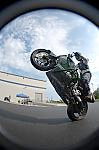

Snap shots from video
#1
Only video editing software i have right now is Window's Movie maker. Which is junk and it lowers video quality while edting.

How else can i take snap shots of video from my GoPro. Picture quality is great when im viewing it in Windows media player. But i cant figure out if i can take a snap shot while the video is paused.

Anyone help me out with this? Im not the most computer literate. And am just starting to kinda venture into editing and such.

Reply
#2
print screen?
Reply
#3
^^ +1 i do print screen too...
Reply
#4
i do print screen also, and then crop it
Reply
#5
Most editing programs will allow you to "capture/copy/save frame"...

Also,
Quote:

Originally Posted by zypher
View Post
print screen

Reply
#6
I had to show him LOL he didn't know his keyboard had "PrtScn" button hahah or how easy it is to use...

now if only I could get CS5 to work, someone help plz
Reply
#7
what you trying to do in CS5? just open a new file after hitting prt sc and it will open one to the right size already, then paste
Reply
#8
I know all about prtscn no need help with that.

I have a full version of CS5, but I don't have a "key" that lasts more then few days... well i haven't messed with it for some time, thought someone had came up with a nice way to "open" CS5
Reply
#9
Quote:

Originally Posted by DIMA
View Post
I know all about prtscn no need help with that.

I have a full version of CS5, but I don't have a "key" that lasts more then few days... well i haven't messed with it for some time, thought someone had came up with a nice way to "open" CS5

what does it do when u put a new key? or should i say what does it do after a few days?
Reply
#10
just tells me the serial key is invalid, I changed the hosts and all that good stuff and still no luck... any chance you know were I could find a good "HowTO" lol
Reply


Forum Jump:


Users browsing this thread: 1 Guest(s)